A home security system makes more sense when you see it as a chain of events, not a collection of gadgets. Something happens at a door, window, or room; a sensor detects it; a control unit decides what happens next; and someone receives an alert. For first-time homeowners, the useful question is whether that chain works when needed, not how many devices a package contains.
How a home alarm actually works
Most systems detect activity, communicate an event, and prompt a response. When armed, opening a protected door might start an entry countdown. Entering a valid code disarms the system. Otherwise, the hub can sound a siren and send a notification or monitoring signal, depending on the setup.
One of the most useful home alarm basics is that detection does not prove a break-in. A family member, cleaner, or poorly closed window can trigger alarm sensors. Careful settings help make alerts meaningful.
Essential security system components
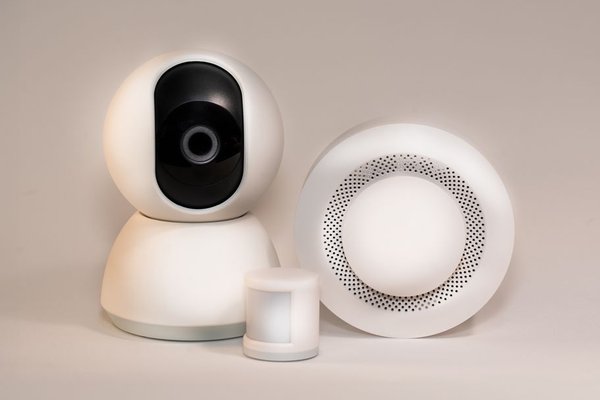
Control panel or hub
The hub coordinates devices and tracks whether the system is armed. Some have a keypad or touchscreen; others use a phone app. Check what continues working when internet service fails. Losing app access does not necessarily stop a local siren.
Door and window contact sensors
Contact sensors normally have two aligned pieces. Opening a door or window separates them and reports a change. They are a common starting point for perimeter protection because they cover entry routes without recording video. Misaligned contacts can cause missed signals or nuisance alerts.
Motion and glass-break detectors
Motion detectors protect interior spaces, commonly using passive infrared technology. Pets, heat sources, and awkward placement can affect performance. Glass-break sensors recognize sounds associated with breaking glass, but they do not replace every window contact. Follow each manufacturer’s positioning guidance.
Sirens, cameras, and safety detectors
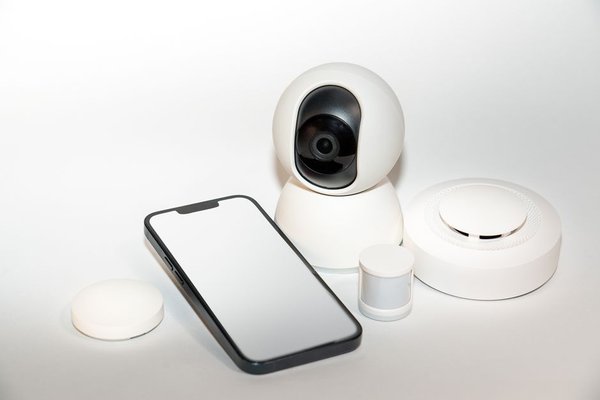
A siren warns people nearby. Cameras and video doorbells offer visual context, but a camera’s movement alert is not automatically a confirmed intrusion alarm. Some platforms also support smoke, carbon monoxide, or water-leak detectors. Check which events generate notifications and which qualify for monitoring.
Understand stay mode, away mode, and delays
Away mode commonly arms entry points and selected interior motion sensors. Stay mode typically protects the perimeter while people move around inside. Products differ, so do not assume identical settings across brands.
Exit delays give you time to leave; entry delays let you disarm when returning. Set these around your actual routine. An alarm that frequently goes off when someone comes home may eventually be left switched off. Arming reminders can be more useful than another sensor.
Self-monitoring versus professional security monitoring
Self-monitoring sends alerts to you or chosen household members. You assess what happened and decide whether to contact emergency services. It gives you direct control, but a notification can be missed while sleeping, driving, or without reception.
Professional security monitoring generally routes qualifying alarms to a staffed center that follows an established response procedure. Staff might call you or emergency contacts before seeking emergency assistance. The process depends on the provider, alarm type, and local rules. A subscription cannot guarantee dispatch or response times.
Ask providers who receives alerts, whether video verification is available, and what each plan covers. Some areas require alarm permits or impose false-alarm fines. Our guide to choosing an alarm monitoring plan is a useful next topic when comparing services.
Will the system survive a power or internet outage?
Wireless sensors often communicate with the hub over short-range radio, while the hub may connect outward through broadband or cellular service. These are separate links. Losing Wi-Fi might interrupt cloud video or phone notifications without disabling local detection.
Look for panel battery backup, a stated operating duration, and optional cellular backup. Remember that a plug-in camera may stop during a power outage even if its hub keeps running. Ask the manufacturer which precise functions are maintained, then test supported outage behavior safely.
A practical starter plan for a two-bedroom home
Picture a home with a front door, sliding patio door, and accessible windows. Start by mapping those entry points. Contact sensors can protect the doors and suitable windows, while one strategically placed motion detector covers an interior route. Put the keypad where you normally enter.
Practice an ordinary evening: arm stay mode while everyone is home, move through the usual rooms, and check that interior movement does not trigger unwanted alarms. In the morning, disarm before opening the patio door. This rehearsal exposes inconvenient settings before they become a daily frustration.
Electronic protection also works best alongside strong locks, secure windows, and adequate outdoor lighting. A guide to securing exterior doors and windows can help address those physical vulnerabilities.
Smart apps, privacy, and buying considerations
Apps may allow remote arming, event history, shared household access, and camera viewing. Enable a strong unique password, multifactor authentication when available, and automatic security updates. Remove access for people who no longer need it. Position cameras to avoid filming neighbors’ private areas; review recording retention and sharing settings. A camera privacy checklist is a useful companion topic.
Compare complete costs: equipment, installation, subscriptions, cloud storage, backup connectivity, and cancellation terms. Check whether sensors can be added later and whether hardware works without a continuing contract. Renters should confirm installation permissions before drilling or attaching equipment.
Frequently asked questions
Do home security systems need cameras?
No. A basic intrusion system can rely on contact sensors, motion detection, a hub, and a siren. Cameras add context but are not essential to detect an opened door.
Can an alarm work without Wi-Fi?
Some systems maintain local detection and siren functions without Wi-Fi. Remote alerts or monitoring may require a working cellular connection. Check your model’s specifications.
Will pets trigger motion sensors?
They can. Pet-aware detectors may reduce unwanted alarms, but effectiveness depends on animal size, installation, and surroundings. Test the system with pets present.
Is a professional monitoring subscription required?
Not always. Self-monitoring can be adequate if someone reliably handles alerts. Professional monitoring provides another response route but adds fees and service conditions.
Choose a system you will keep using
Understanding home security system basics starts with entry points, household routines, and a clear response plan. Choose alarm sensors for the risks you need to detect, then decide who should receive the signals. Add cameras and automation only where they solve a real problem. Sensible settings, physical security, and regular testing matter more than an oversized package left disarmed.