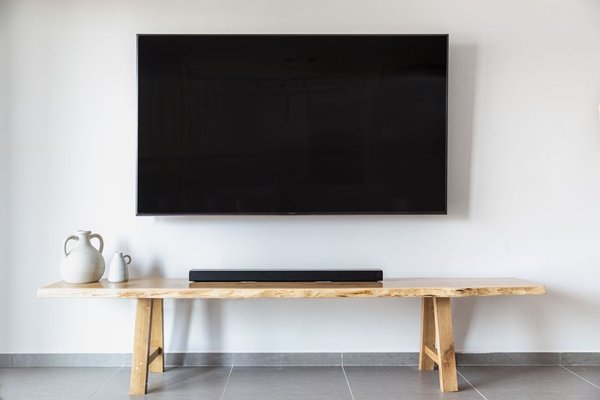
Learning how to mount a TV on drywall safely starts with one basic principle: drywall is usually not the structural support you want carrying the screen. A secure installation depends on the framing behind it, a compatible mount, and the correct fasteners. Verify those details before drilling and you greatly reduce the risk of a crooked screen, wall damage, or a failed mount.
Check the TV, bracket, and wall before drilling
Check the TV manual for its weight and mounting-hole pattern. Many televisions use a VESA pattern, which standardizes the spacing of the threaded holes on the back. Your wall mount should support that pattern, the TV’s size, and its actual weight. Do not choose a bracket only because the packaging lists a similar screen size.
Also consider the mount type. Fixed brackets stay close to the wall, while tilting and full-motion mounts move farther out. An extended articulating arm creates extra leverage, so strong structural attachment matters even more. Before a TV wall mount installation, sit in your normal viewing position and decide where the center of the screen should be.
Find studs for the TV carefully
For a conventional drywall installation, fastening the wall plate into wood studs or other structural backing approved by the mount manufacturer is generally the most dependable approach. Scan with a quality stud finder from both directions, mark both detected edges, and then mark the center. Construction varies, so never rely on an assumed stud spacing alone.
Watch for outlets, switches, plumbing fixtures, and other clues that wiring or pipes may run through the wall. Some stud finders can detect live wiring, but no detector is perfect. If the drilling area is uncertain, move the mount or have a qualified professional inspect the wall rather than drilling blindly.
Consider a 65-inch TV with a wall plate wide enough to span two studs. After finding the first stud, locate the second independently instead of simply measuring a standard distance and assuming it is there. Confirm both centers and make sure the plate can still position the TV where you want it. This helps prevent a lag screw from catching only the edge of a stud or missing it entirely.
Attach the TV-side brackets correctly
If the manufacturer allows it, place the television face down on a clean, padded surface and remove the stand. Attach the TV-side rails with the screws, washers, and spacers specified for the TV and mount. Screw length matters: hardware that is too short may not engage properly, while a screw that is too long can damage the television. Do not substitute similar-looking screws without checking the manuals.
Level and fasten the wall plate
Hold the wall plate against the drywall with its mounting holes centered over the verified studs. Use a level, mark the required holes, and compare the marks with the bracket instructions. Drill pilot holes only to the diameter and depth specified by the mount manufacturer. Oversized holes can reduce holding strength, while undersized holes can make structural fasteners difficult to drive.
Position the plate and install the specified lag screws or structural fasteners with any required washers. Tighten them evenly so the plate sits flat, but do not overtighten enough to crush the drywall or damage the hardware. Check the level again before final tightening.
Can drywall anchors be used?
Some mounting systems and heavy-duty anchors are engineered for drywall-only or partial-stud installations, but a generic plastic anchor is not automatically suitable for a television. If anchors are needed to mount a TV on drywall, use them only when the mount manufacturer allows that method and the anchor system is rated for the wall type and required load. TV weight, wall condition, fastener quantity, and leverage from an articulating arm all matter. If the bracket instructions require studs or structural backing, follow that requirement.
Hang the TV with help
Do not try to lift a large television onto the wall alone. Have at least one capable helper, disconnect the TV from power, and lift it using the areas approved by the manufacturer. Guide the TV-side rails onto the wall plate without trapping fingers or pinching cables.
Once the television is seated, install every locking screw, clip, tab, or safety bar supplied with the bracket. These parts often prevent the TV from being accidentally lifted off the mount. For a full-motion TV bracket install, move the arm slowly through its normal range and check that nothing loosens, binds, or pulls on a connection.
Check the installation and manage cables safely
Stand back and confirm that the screen is level, then inspect the mount from the side and below. The wall plate should sit flat, all required fasteners should be present, and the TV should be fully engaged with the bracket. Use only the light stability check recommended in the mount instructions rather than pulling hard on the screen.
Plan cable management with equal care. Do not hide an ordinary detachable power cord inside a wall unless the method is specifically permitted by local electrical requirements and designed for that use. Signal cables routed through a wall should be suitable for in-wall installation. Useful related reading includes choosing the right TV wall mount, how to find wall studs accurately, and safe cable management for wall-mounted TVs.
FAQ
Can you mount a TV directly to drywall without studs?
Sometimes, but only with a mounting system and anchor method specifically designed for that wall type and load. Many conventional mounts are intended for studs or structural backing. Follow the mount manufacturer’s instructions rather than relying only on a general anchor weight claim.
How do I know where the center of a stud is?
Scan slowly with a stud finder from both directions and mark each detected edge. The midpoint between those marks is the likely center. Repeat the scan at another height to confirm the stud’s vertical path before drilling.
Should the wall plate be level before tightening?
Yes. Level it while marking the holes and again before fully tightening the fasteners. Some mounts allow minor adjustment afterward, but starting with a level wall plate makes the final setup easier.
Can one person install a wall-mounted TV?
For most larger TVs, two people are the safer choice. A large screen can be awkward to lift and easy to damage, while a helper lets you guide both sides of the bracket into place and keep cables clear.
Careful preparation makes the mount secure
A reliable drywall TV installation is less about drilling quickly and more about verifying every connection. Confirm the TV and bracket are compatible, locate structural support instead of guessing, use the specified fasteners, and get help for the final lift. When the wall structure, hardware, and manufacturer instructions all work together, the finished installation can look clean and stay securely in place for years.